Add File Uploads and manage attachments (step-by-step)
-
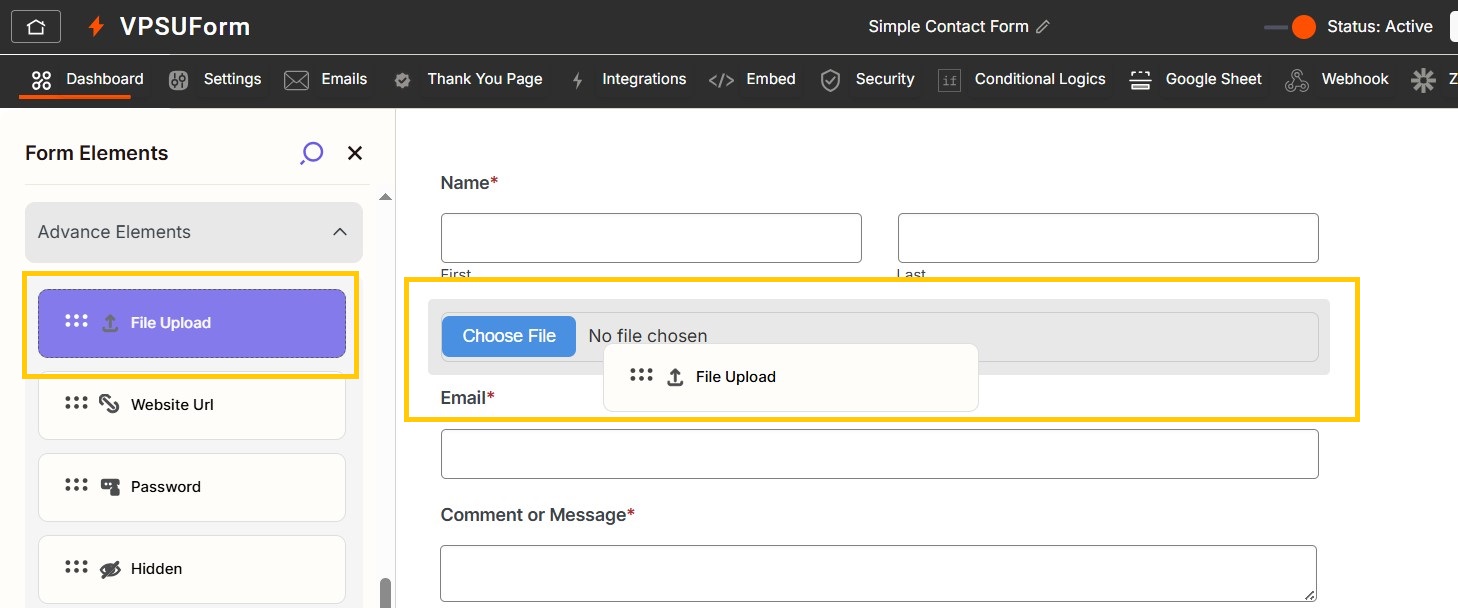
Edit your form → drag File Upload to the canvas.

-
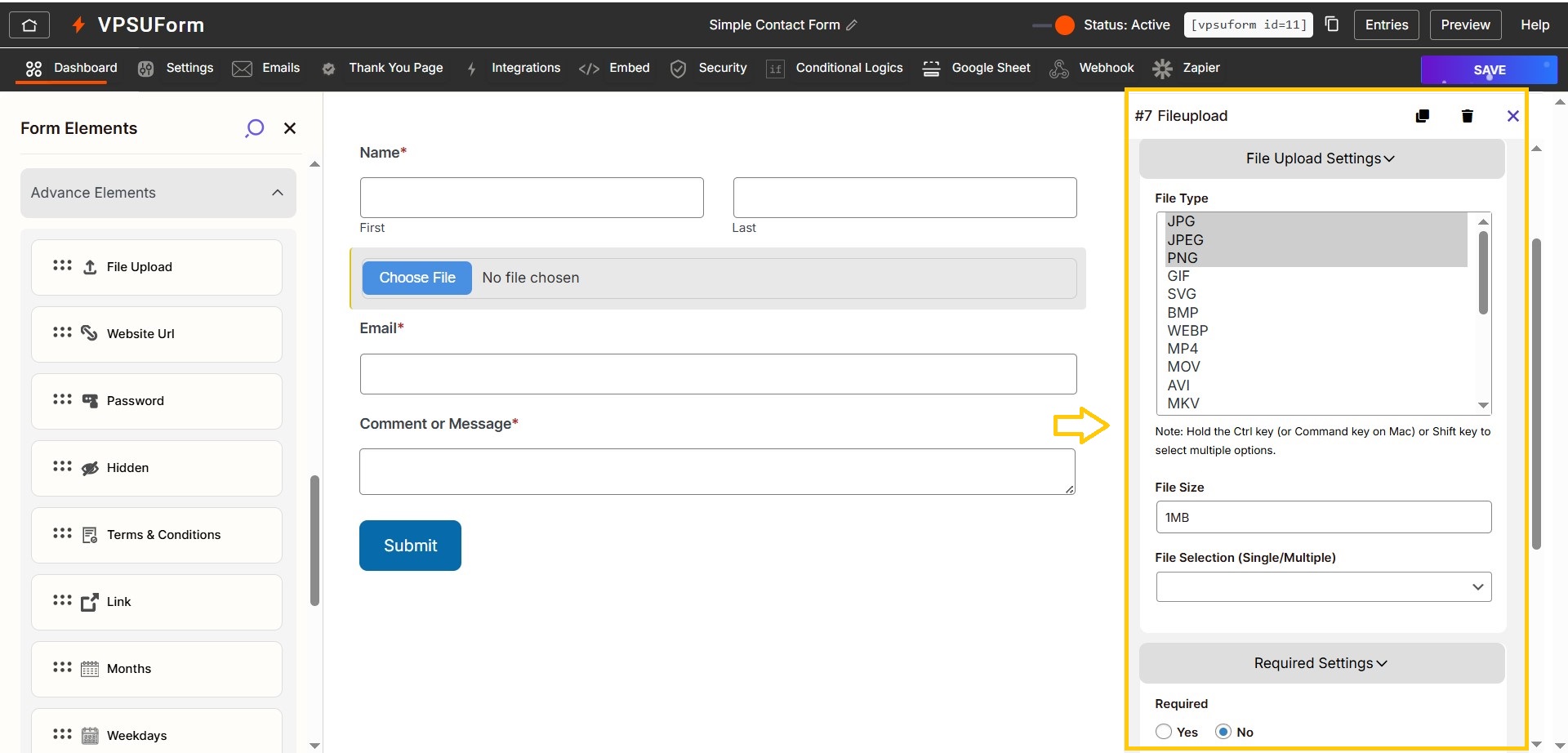
Configure file upload settings
-
Label:
Upload Resume -
Allowed file types:
pdf,doc,docx,jpg,png -
Max file size: e.g.
5(MB) -
Allow multiple files: toggle on/off
-
Required: toggle if necessary
-
-
Storage location
-
VPSUForm stores uploads under WordPress
uploads. No extra action needed.
-
-
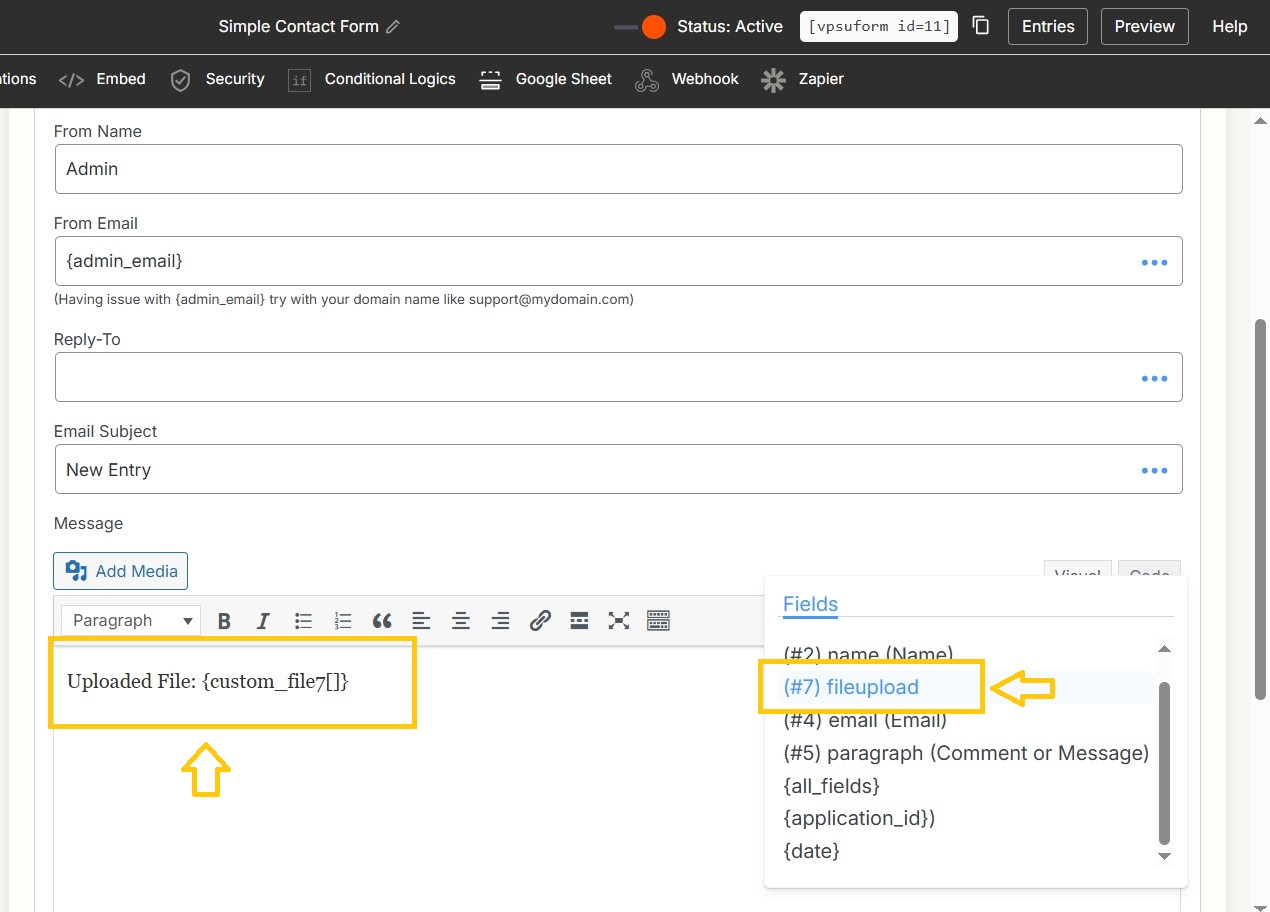
Include attachments in email
-
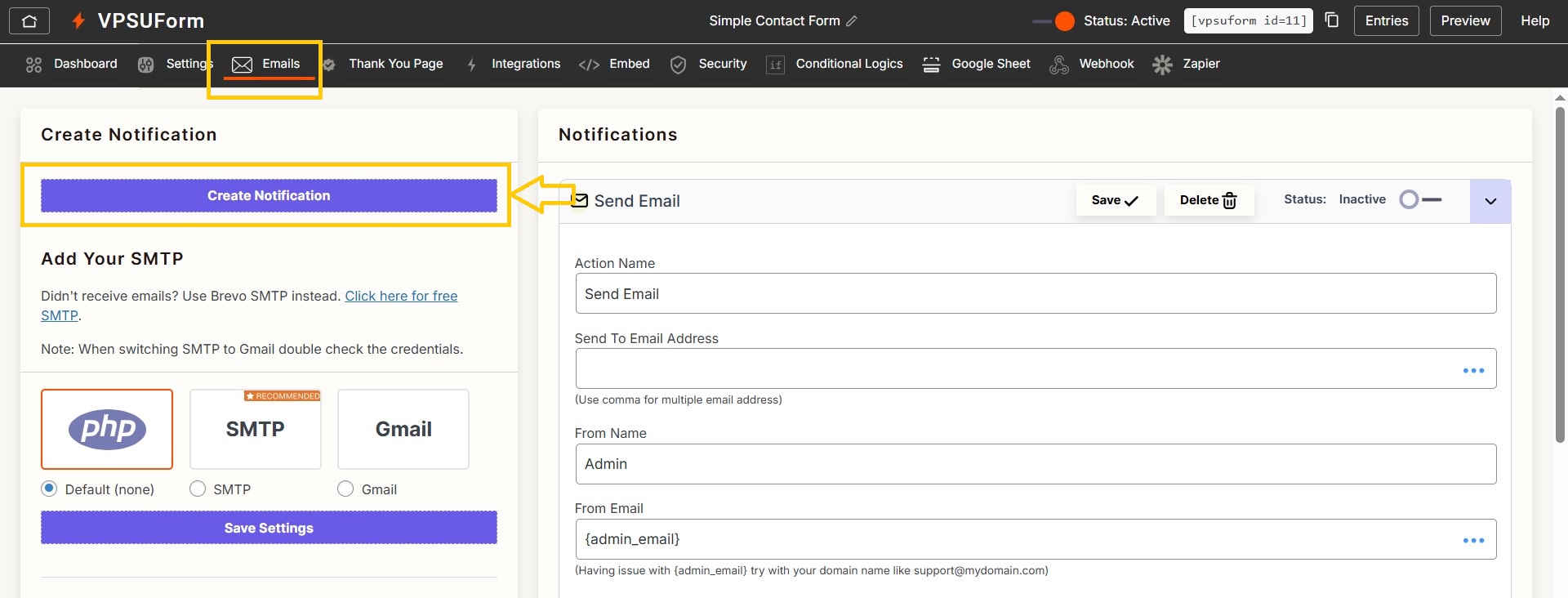
Form → Emails → create notification → Add
Attach uploaded files(Map from the three dots).
-
-
View uploaded files
-
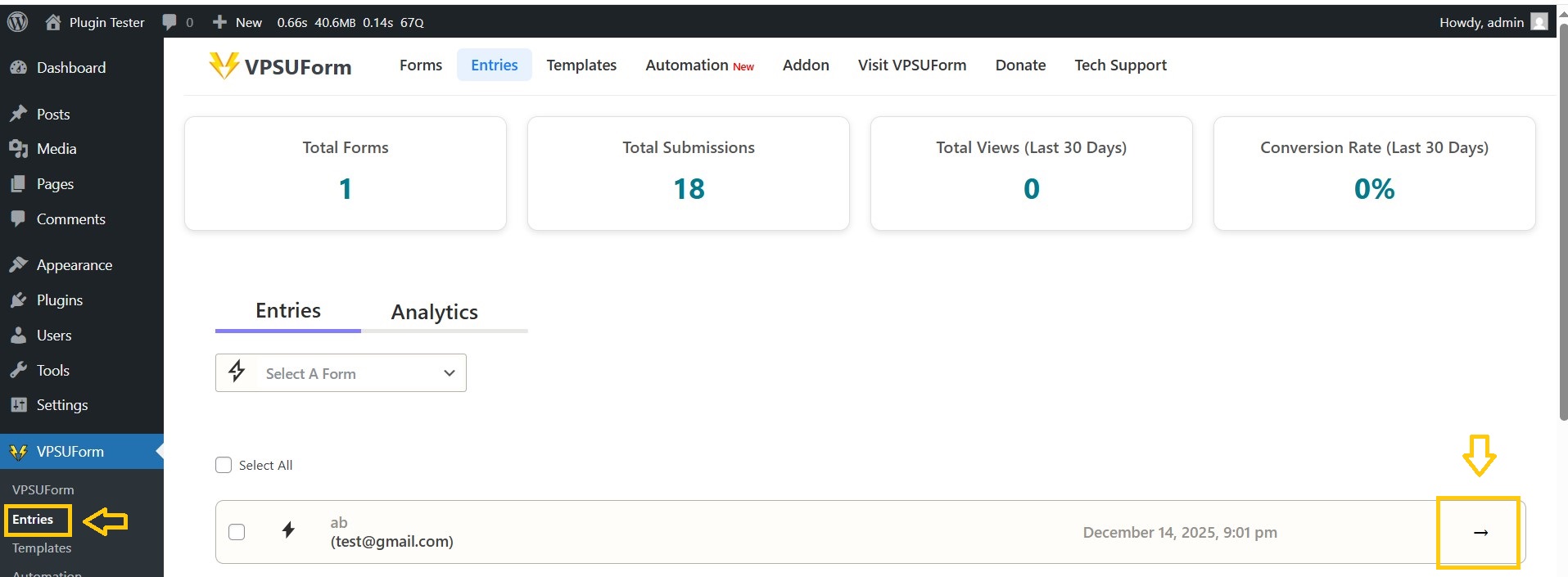
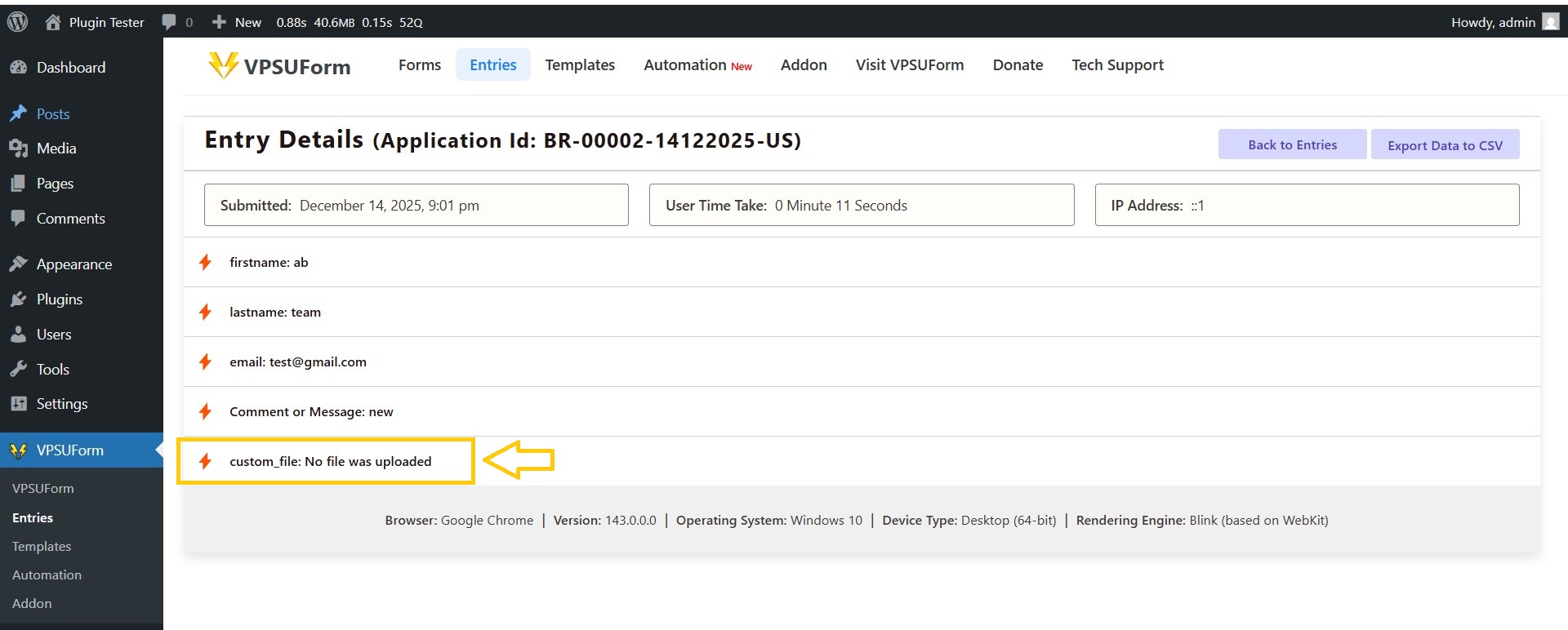
Go to VPSUForm → Entries → View entry → View attachments.
-
Security tips
-
Restrict allowed file types and size.
————————————-
👉 Download it directly from WordPress.org
Get Involved or Get Help
Need support? Click here
Feature request? We’re all ears—VPSUForm is built for the community.
Love it? Leave a ⭐️ review on WordPress.org