Duplicate a form (step-by-step)
Make a copy of an existing form to edit without affecting the original.
-
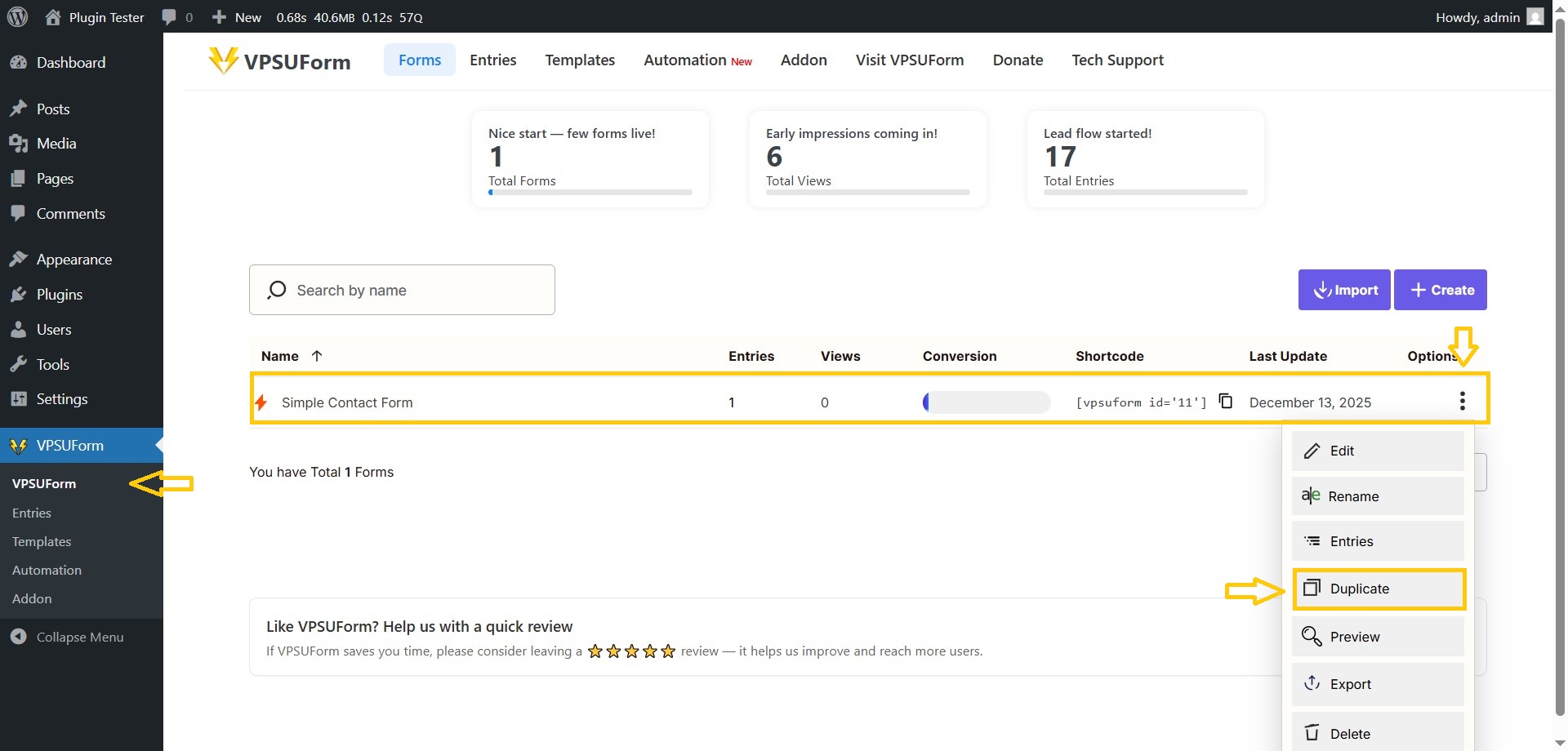
VPSUForm → Forms list.
-
Find the form → click the Duplicate/Clone icon (two overlapping squares).
-
A new form is created named
Copy of {original}. Open it → edit title and fields → Save.
————————————-
👉 Download it directly from WordPress.org
Get Involved or Get Help
Need support? Click here
Feature request? We’re all ears—VPSUForm is built for the community.
Love it? Leave a ⭐️ review on WordPress.org