 VPSUForm
Export submissions to CSV (step-by-step)
Download form entries as CSV for reporting or import elsewhere.
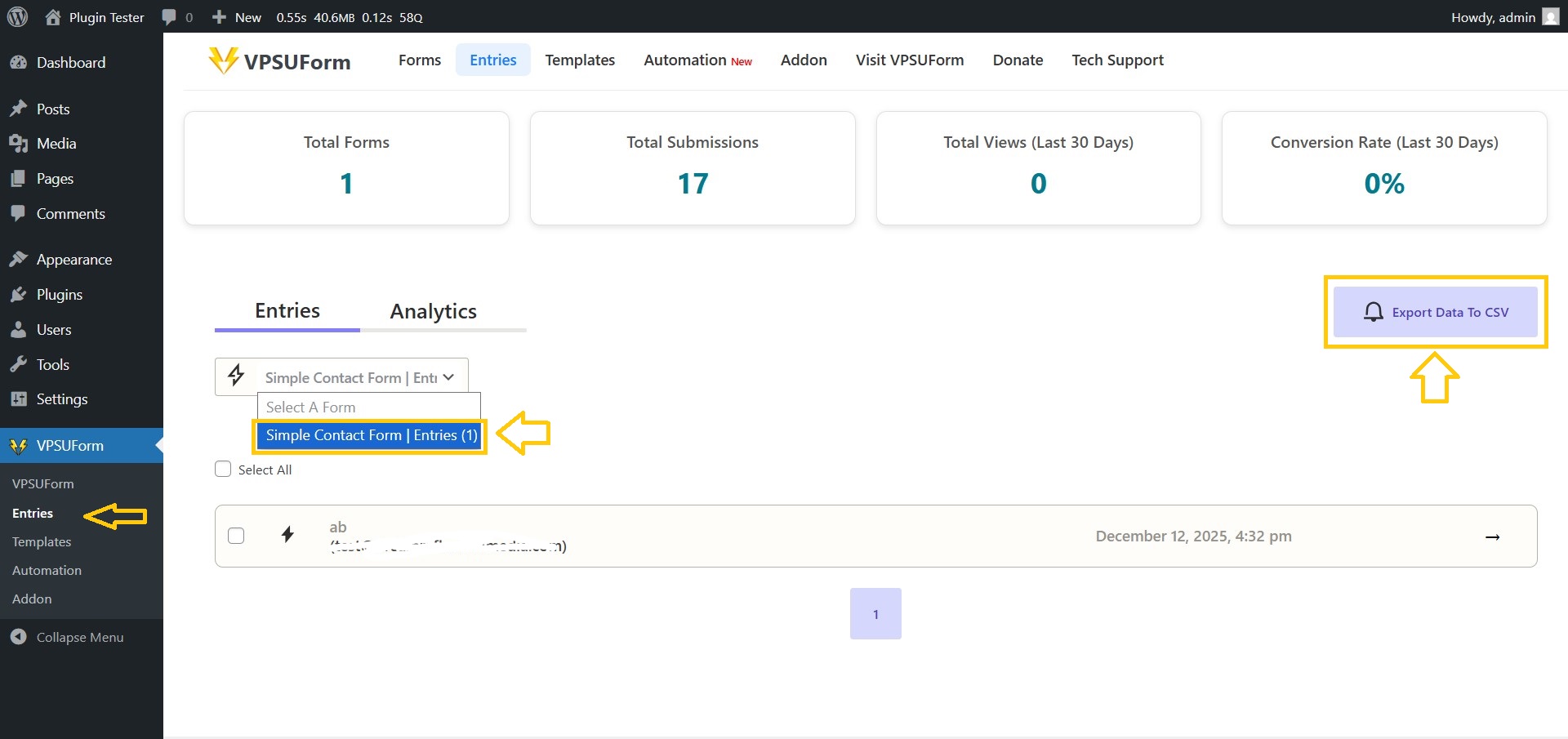
- Go to VPSUForm → Entries.
-
Select the Form from the dropdown.
-
Click Export data to CSV.
-
The server compiles the file and your browser downloads
export_data.csv.
-
-
Open in Excel/Google Sheets.
Single Submission export
- Go to VPSUForm → Entries.
- Select the Entries.
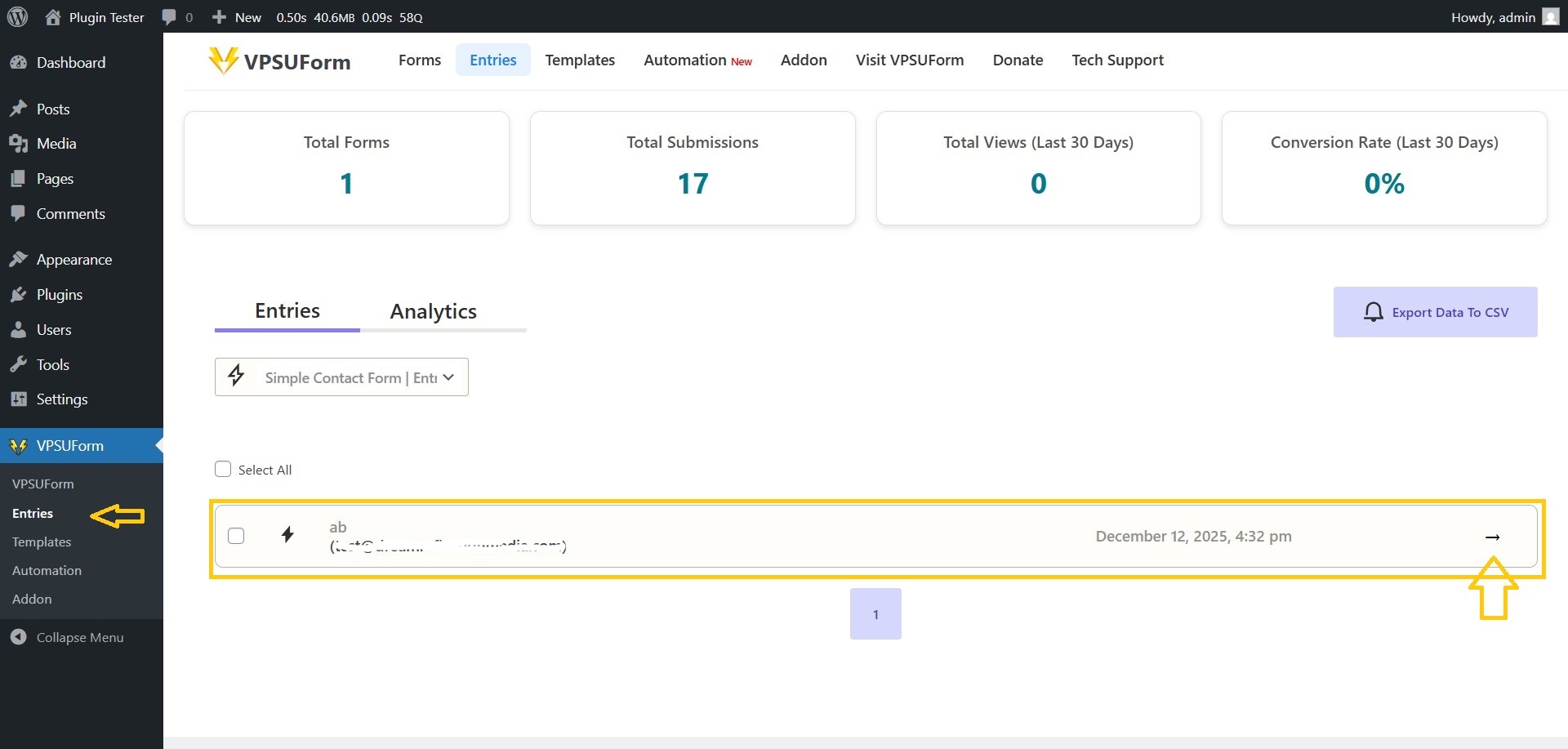
- Click Export data to CSV from the right side.
– The server compiles the file and your browser downloads export_data.csv.
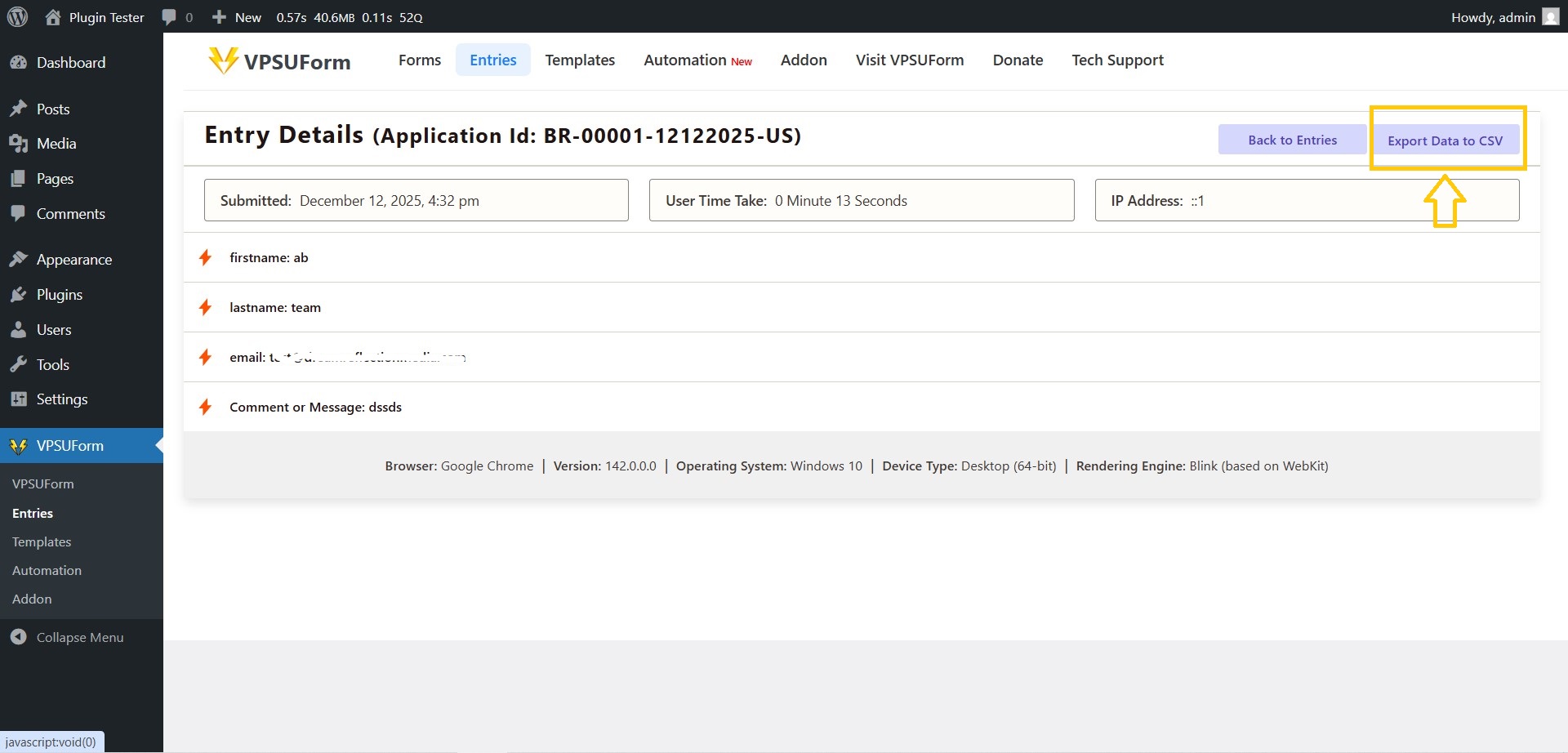
- Open in Excel/Google Sheets.
————————————-
👉 Download it directly from WordPress.org
Get Involved or Get Help
Need support? Click here
Feature request? We’re all ears—VPSUForm is built for the community.
Love it? Leave a ⭐️ review on WordPress.org