Rename a form (step-by-step)
-
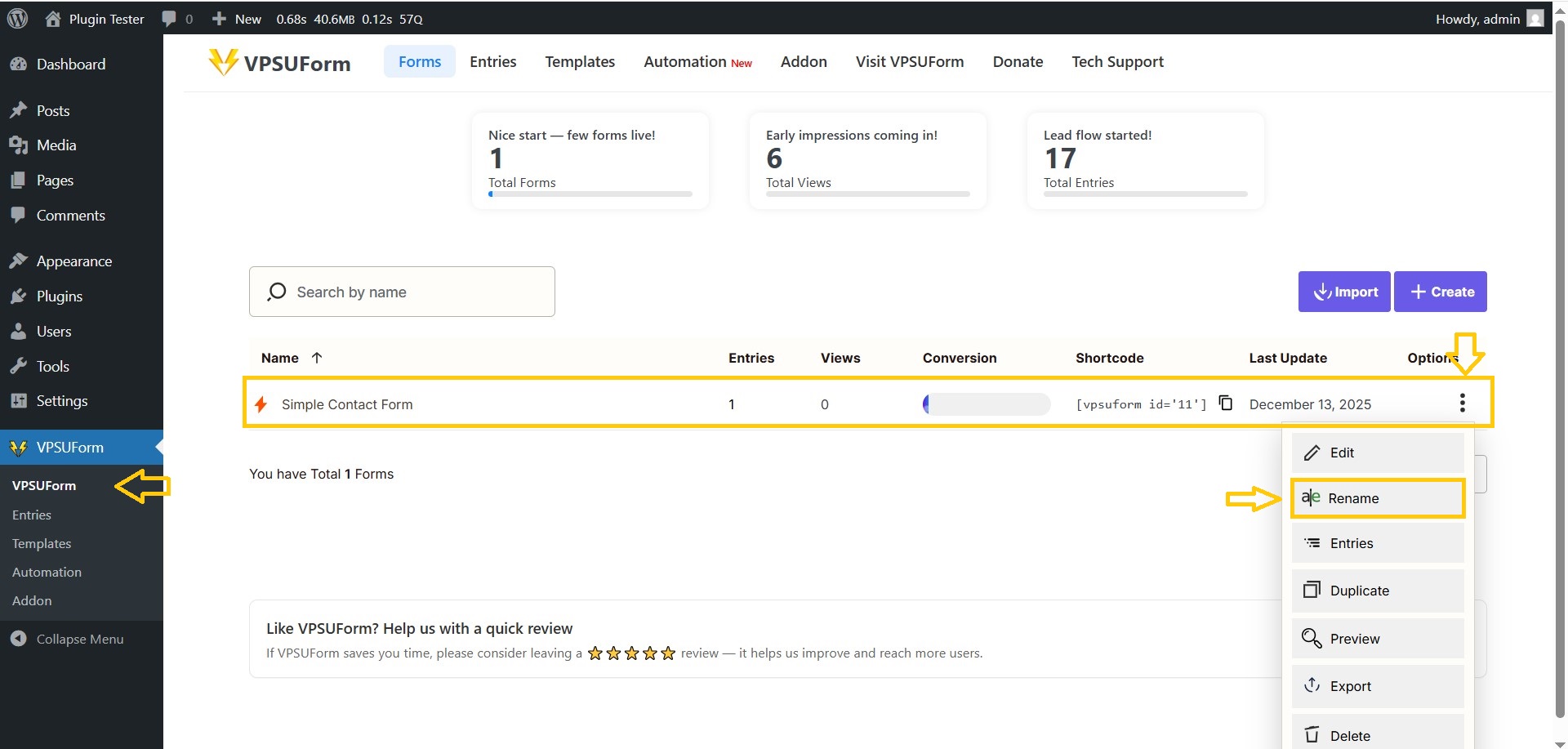
VPSUForm → Forms list.
-
Find the form → click the Rename icon (three dots).
-
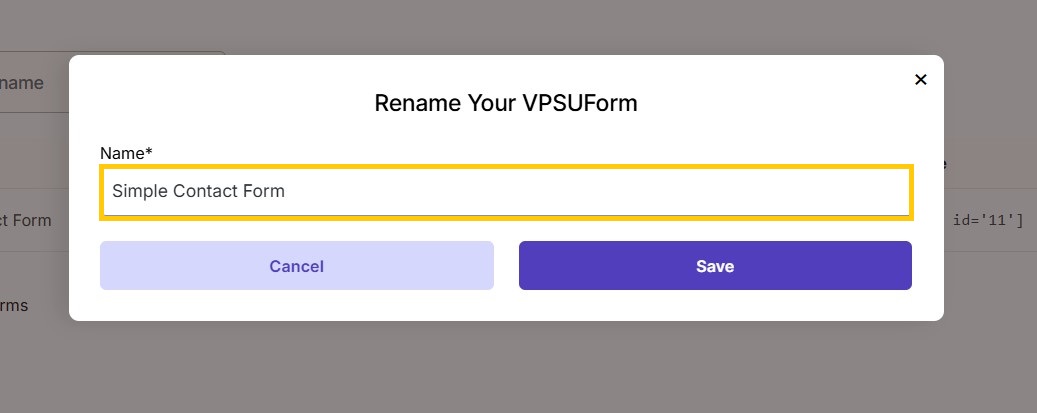
A popup will open, change the name you want, and click Save.
 VPSUForm
Rename a form (step-by-step) VPSUForm → Forms list. Find the form → click the Rename icon (three dots). A popup will open, change the name you want, and click Save. ————————————- 👉 Download it directly from WordPress.org Get Involved or Get Help Need support? Click here Feature request? We’re all ears—VPSUForm is
VPSUForm → Forms list.
Find the form → click the Rename icon (three dots).
A popup will open, change the name you want, and click Save.